Get started
Git Good is a single binary, git-good. Put it on your PATH and Git runs it for git good.
Install
- Download the archive for your platform from GitHub Releases. Builds cover Linux, macOS and Windows, each on
x86_64andarm64. - Extract
git-good(git-good.exeon Windows) into a folder on yourPATH, such as~/.local/bin. - To update, replace the binary with the new release.
Git Good runs the git on your PATH, so your configuration, hooks, credential helpers and signing setup all apply. Commit hooks need Git 2.36 or newer.
Open a repository
From a terminal inside a repository:
Or pass a folder: git good ~/src/acme-api. Inside a subfolder of a repository, that repository opens. Anywhere else, Git Good opens on the welcome view:
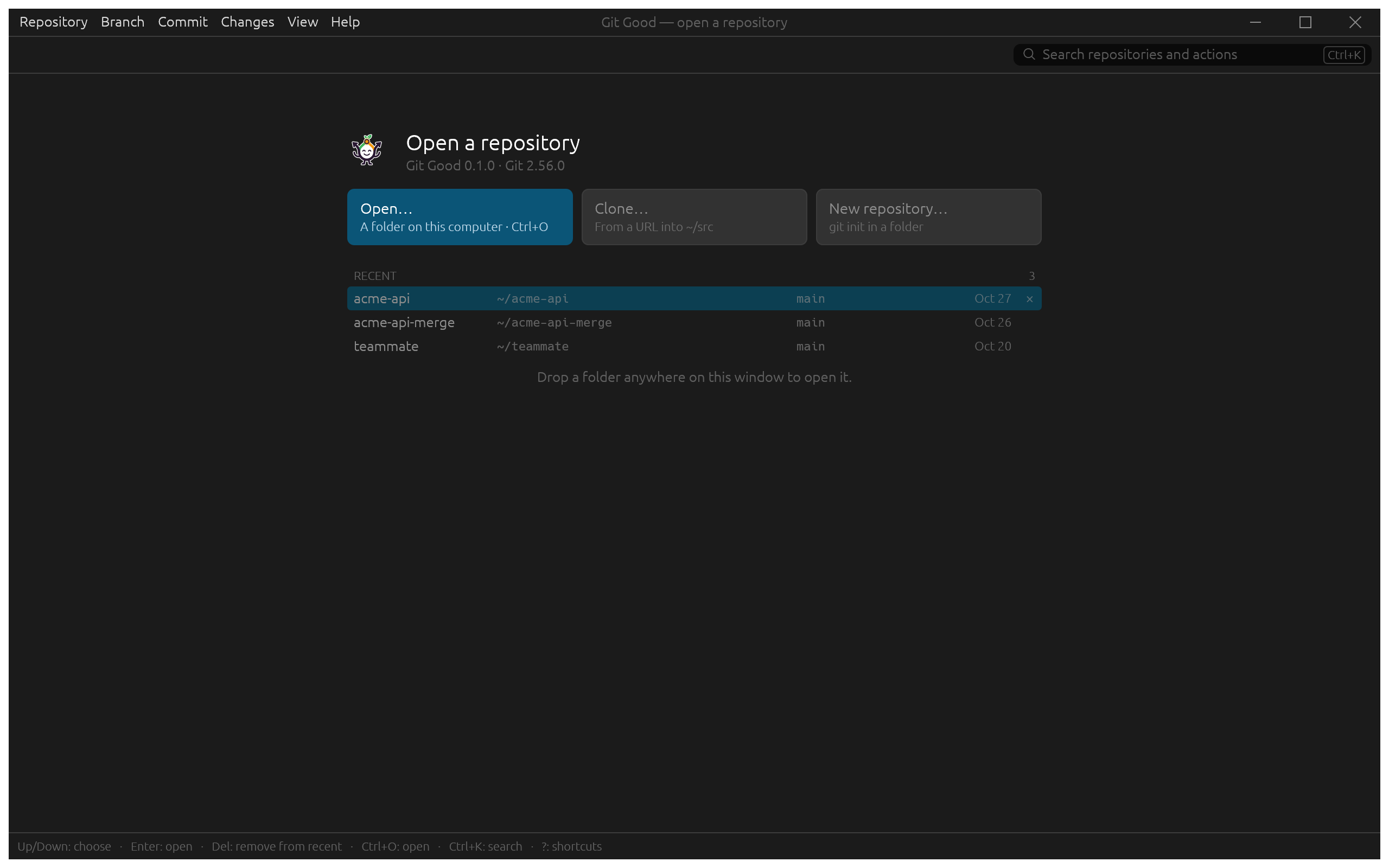
- Open… (Ctrl+O) picks a folder. You can also drop a folder anywhere on the window.
- Clone… clones a URL into your preferred clone folder (set it in Preferences › General).
- New repository… runs
git initin a folder. - Recent lists the repositories you opened, newest first, with their current branch. Use the arrow keys and Enter; Del removes an entry from the list, not from disk.
The window
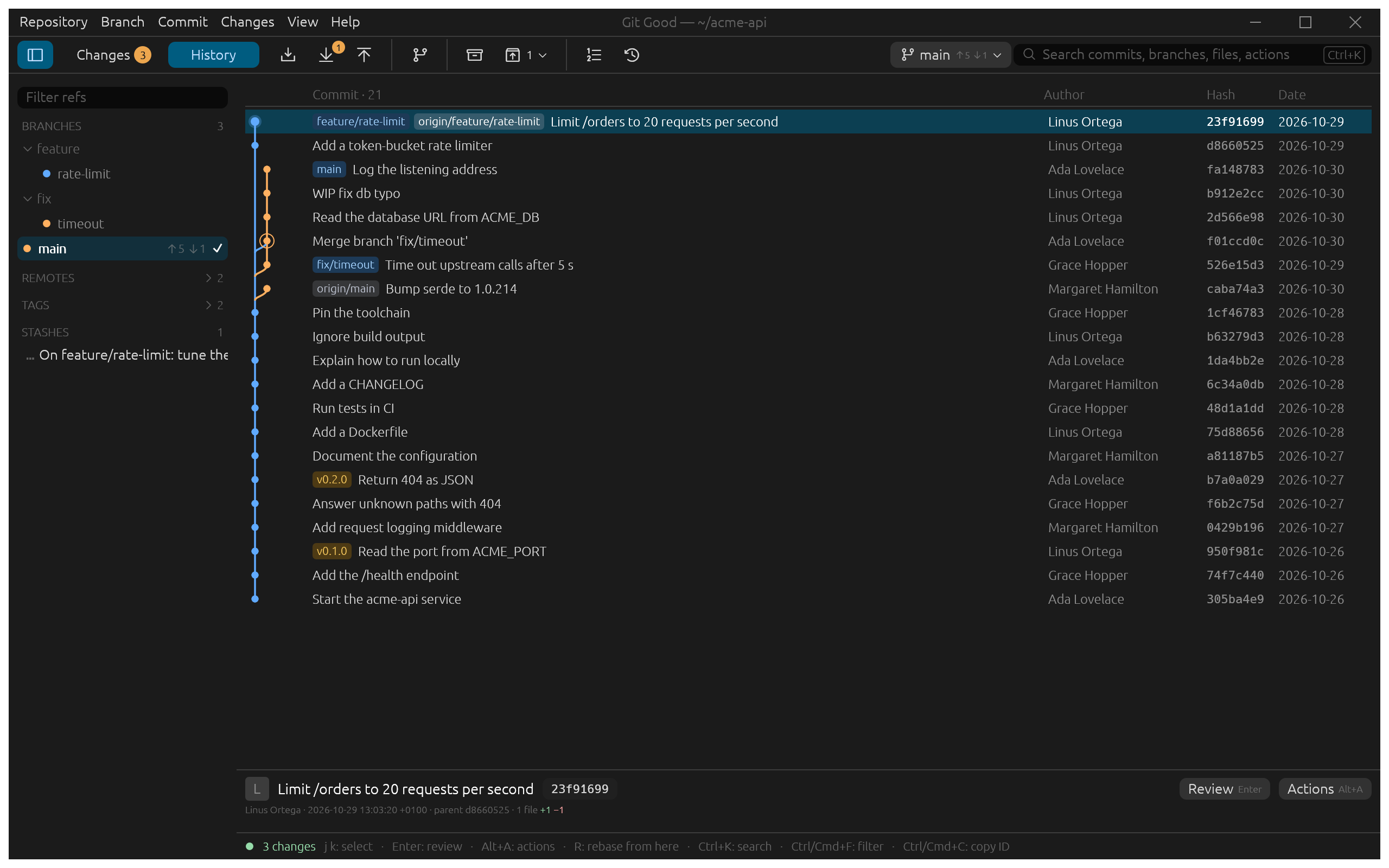
From top to bottom:
- Title and menu bar
- Repository, Branch, Commit, Changes, View and Help. Every command lives in a menu and shows its key there.
- Toolbar
- The sidebar toggle, Changes (with the number of changed files) and History. Then Fetch, Pull and Push; the Pull button shows how many commits you are behind. Then New branch, Stash changes, the stash list, Interactive rebase and Recovery. On the right, the current branch button (
main ↑5 ↓1: five commits to push, one to pull) opens a filterable branch switcher, and the search box (Ctrl+K) finds commits, branches, files and commands. - Refs sidebar
- Branches grouped by folder (
feature/,fix/), remotes, tags and stashes. Type in Filter refs to narrow it. Double-click a branch to switch to it. - History
- One row per commit with its lane, pills for the branches and tags on it, author, short hash and date.
- Details
- The selected commit's subject, author, parent and changed-line count, with Review (Enter) and Actions (Alt+A).
- Footer
- The working-tree summary on the left and the keys for the focused view. Results of commands ("Rewrote 3 commits · backup …") also appear here.
Next
- Workflows walks through each task with screenshots.
- Real use cases shows how the pieces fit together on a working day.
- Scripting with the CLI covers
git good --cliand its JSON output.