Reset a branch
Reset moves the current branch to another commit. Select that commit in the History tree and choose Commit › Reset current branch to here….
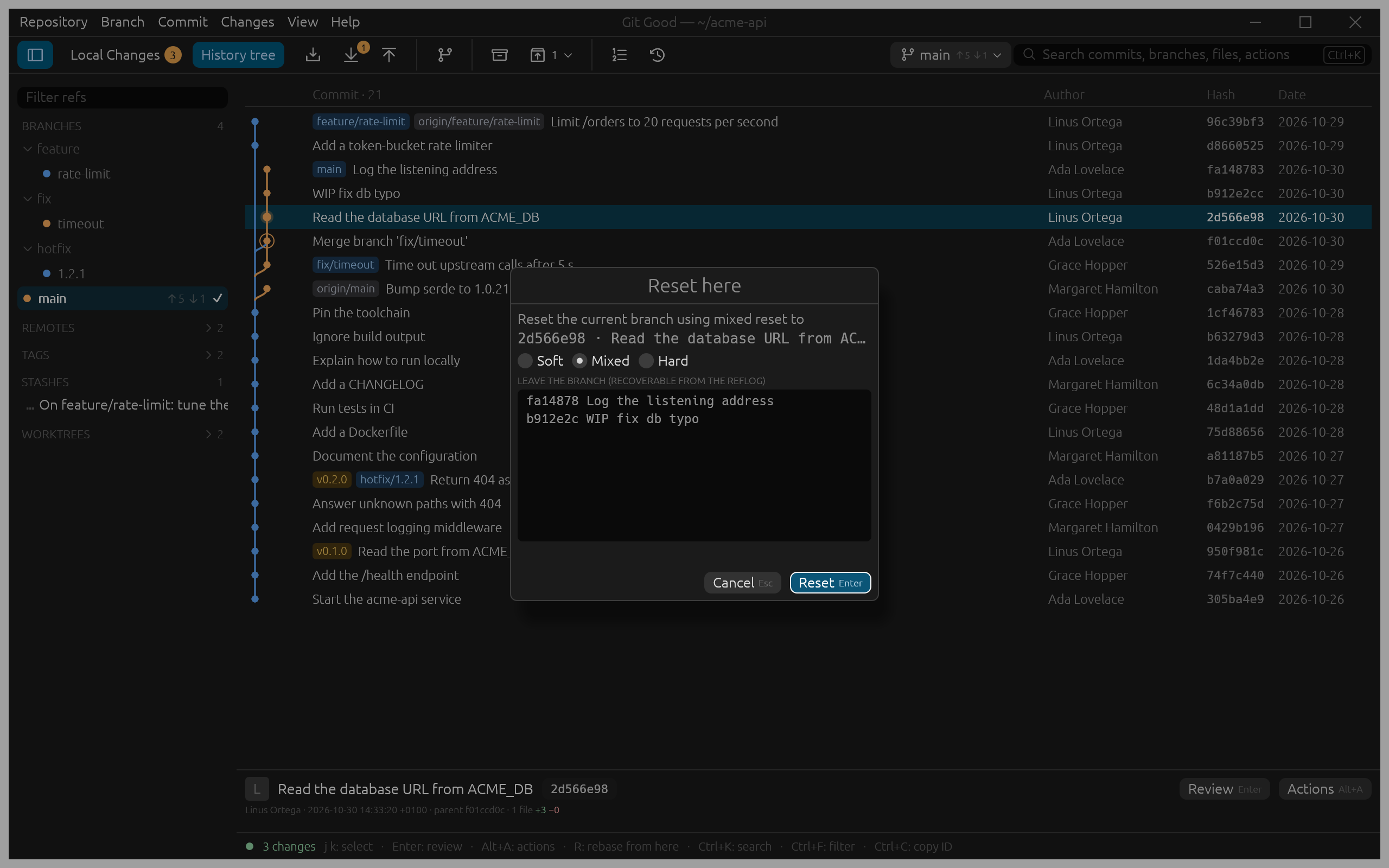
The dialog lists the commits that leave the branch. Pick a mode, as git reset does:
| Mode | Index | Working files |
|---|---|---|
| Soft | kept: the commits' changes are staged | kept |
| Mixed (default) | reset: the changes are unstaged | kept |
| Hard | reset | tracked changes discarded |
Soft is the quick way to squash the last few commits into one: reset, then commit again.
Hard reset
Hard lists, under CHANGES LOST, every staged and unstaged file it will discard, and the button turns into a red Hard reset. If a commit you are resetting to would overwrite an untracked file, Git Good names the file and refuses until you move or delete it. Untracked files are never overwritten, in any mode.
Nothing is lost
Before every reset, Git Good saves the old branch tip as a private backup ref; the footer names it (Reset to … · backup refs/gg/backup/reset/…). Open Recovery to put the branch back.
With Confirm before Drop and Reset off (Preferences › Rebase & recovery), Soft and Mixed run without asking. Hard always asks.