Resolve a merge conflict
Grace merged feature/sorting into main. Both changed the same line of src/routes.rs: main pages the order list, feature/sorting sorts it newest first. Git stopped, and the band's Resolve conflicts (or the Changes tab) opens the conflict view:
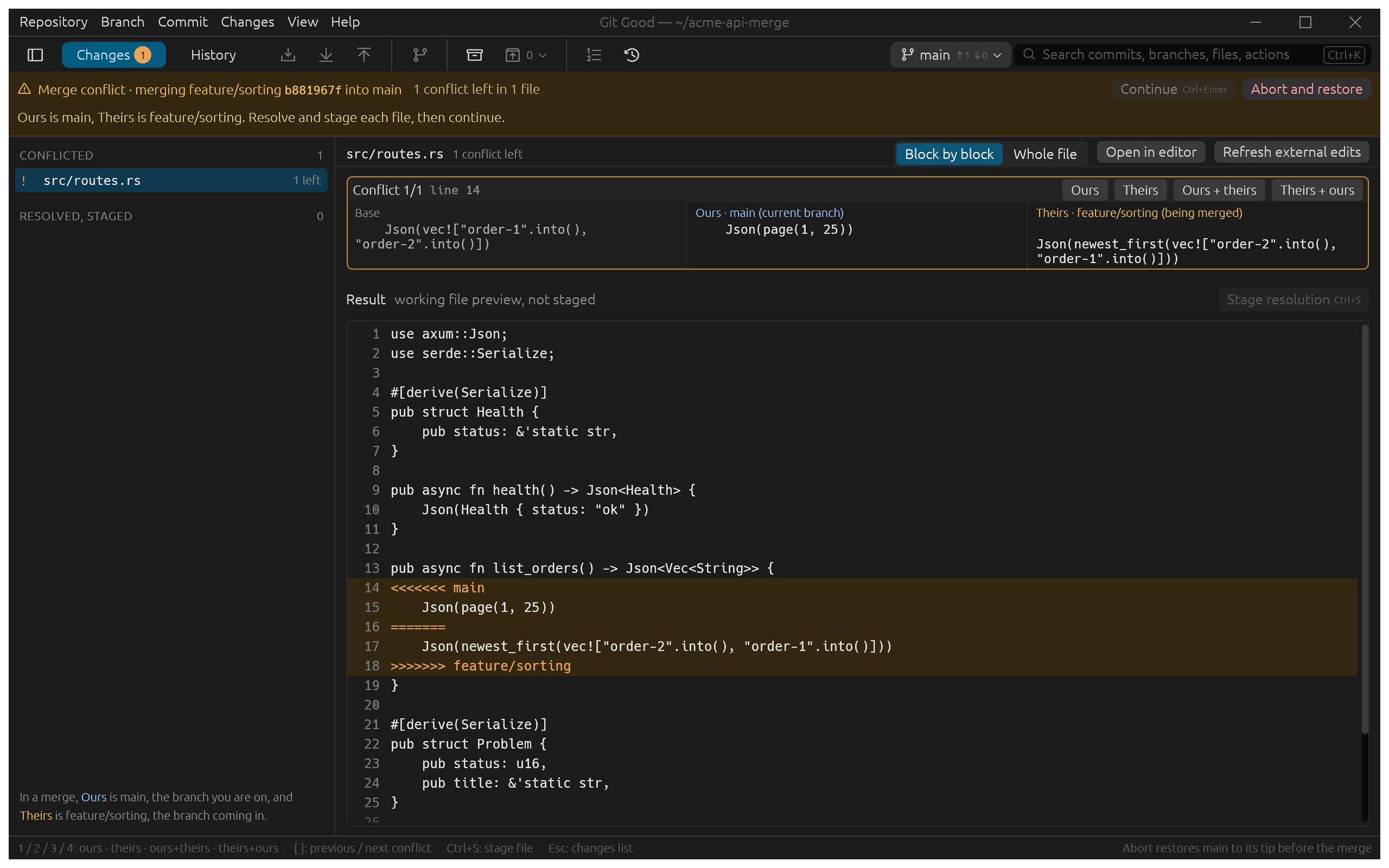
Read it
- The band says what stopped (merging feature/sorting into main), how many conflicts are left, and offers Continue and Abort and restore.
- Under it, one sentence says which side is which: Ours is main, Theirs is feature/sorting. In a rebase the sides swap; the legend under the file list says so.
- Conflicted lists the files still to do; Resolved, staged fills as you finish them.
Resolve each block
For each conflict, the three versions sit side by side: Base (the common ancestor), Ours and Theirs. Choose:
| Button | Key | Keeps |
|---|---|---|
| Ours | 1 | Your branch's version |
| Theirs | 2 | The incoming version |
| Ours + theirs | 3 | Both, yours first |
| Theirs + ours | 4 | Both, theirs first |
The Result below is a preview of the working file. It is written only when you stage. [ and ] move between conflicts.
For anything the buttons cannot do (here you might want page(1, 25) of the sorted list), click Open in editor, edit the file, then Refresh external edits. Switch from Block by block to Whole file to take one side for the entire file.
Finish
- Stage resolution (Ctrl+S) when the file has no conflicts left.
- When every file is staged, Continue (Ctrl+Enter) commits the merge.
Abort and restore puts main back exactly where it was before the merge.