Park work in a stash
Stash your changes
Click Stash changes in the toolbar (Ctrl+Shift+Z), write an optional message, and choose whether to include untracked files and whether to keep staged changes in the index. Stash is disabled when there is nothing to stash.
Bring them back
The stash list button next to it shows how many stashes there are. Click it, or click a stash in the sidebar:
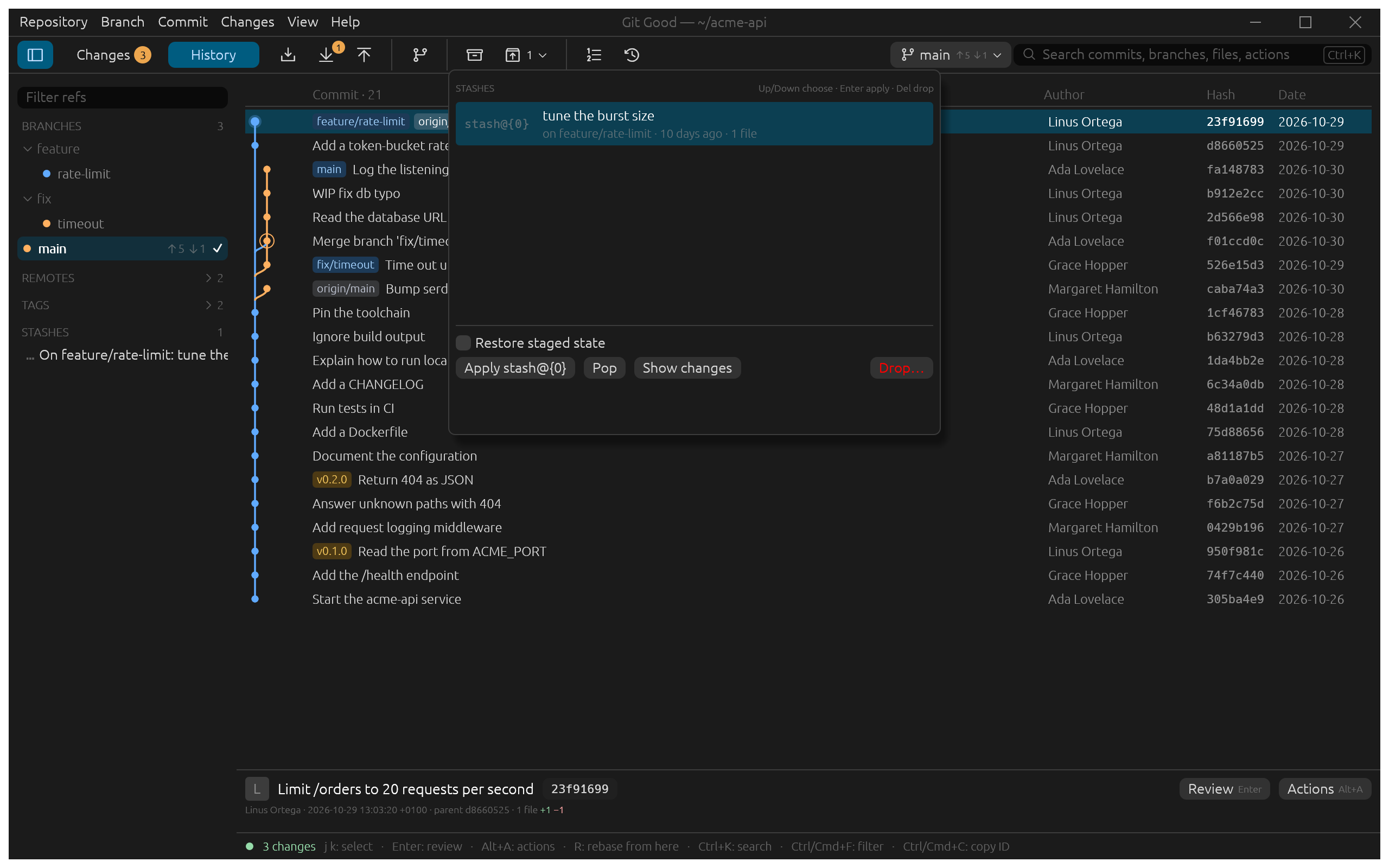
- Apply restores the changes and keeps the stash; Pop restores them and removes it.
- Restore staged state also brings back what was staged, as
git stash apply --indexdoes. - Show changes opens the stash in the reader, like a commit.
- Drop… deletes it after you confirm.
Each stash shows the branch it was made on and its age. In the example, Linus stashed a half-finished burst size on feature/rate-limit a week ago.
If applying conflicts with your current files, the files are left with conflict markers, the footer reads, for example, Restored stash@{0} · 1 conflict, and the stash stays in the list.