Undo with Recovery
Before every rebase, amend, rewrite or reset, Git Good saves the branch's old tip as a private ref under refs/gg/backup/. These refs keep the old commits safe from garbage collection and stay out of the refs sidebar. Open them with the Recovery button in the toolbar, or Repository › Recovery….
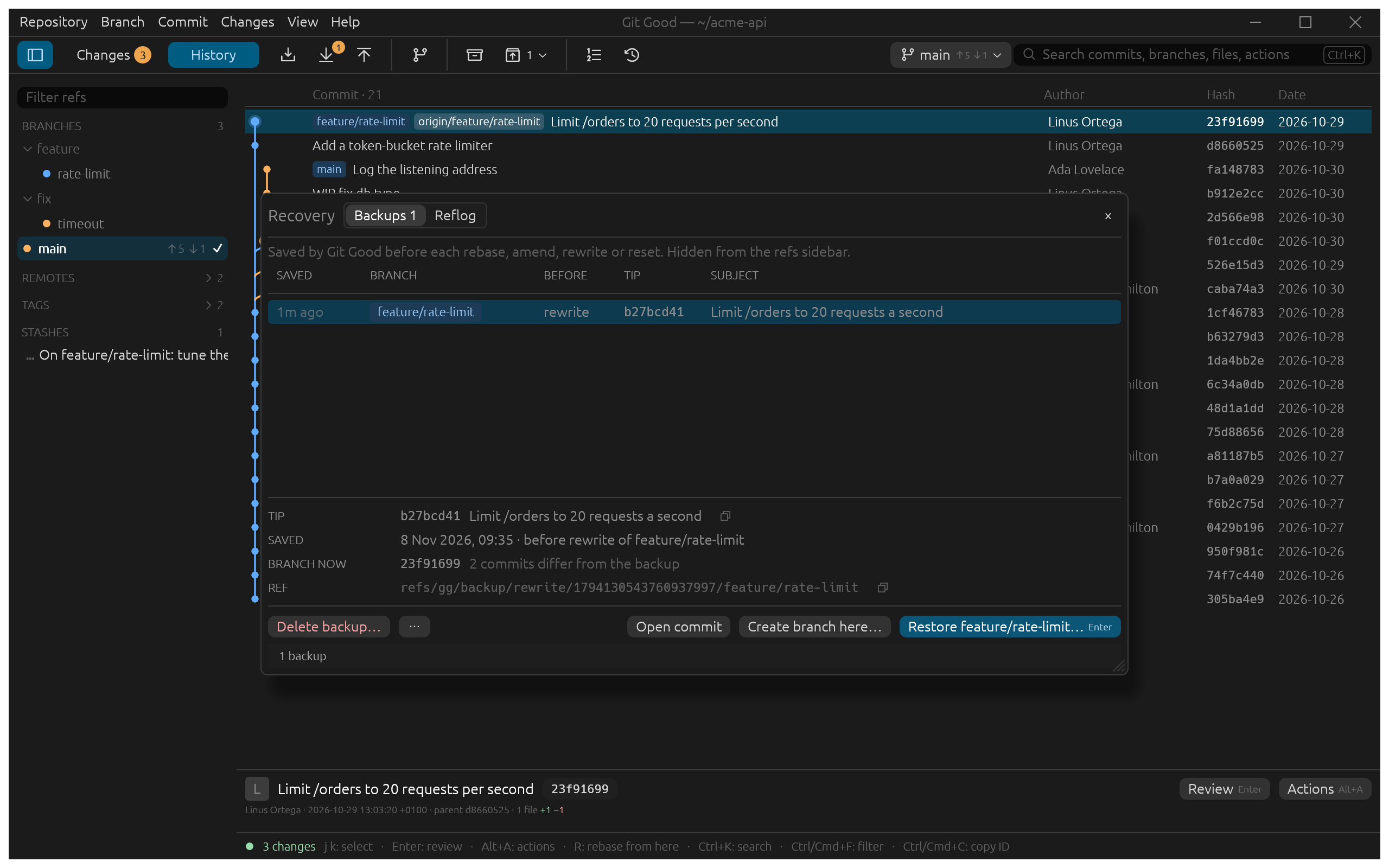
In the example, Linus reworded Limit /orders to 20 requests a second to say per second. Recovery shows the backup made just before:
- Saved, Branch and Before say when, on which branch and before which operation.
- Tip is the commit the branch pointed at; Branch now says how far the branch has moved since (2 commits differ from the backup).
- Ref is the backup's full name, which you can copy.
Get it back
- Open commit
- Read the old tip in the reader to check it is the one you want. Esc brings you back here.
- Create branch here…
- Make a new branch at the old tip, leaving the current branch alone. The safest choice.
- Restore feature/rate-limit…
- Move the branch back to the old tip (a hard reset, after confirming). The branch must be checked out and the working tree clean. Git Good saves the tip it leaves as another backup first, so a restore can be undone too.
⋯ has Reset branch here (Soft, Mixed or Hard) and copies the commit ID or the ref. Hard reset refuses when it would overwrite untracked files, and lists them.
The reflog
The Reflog tab lists where HEAD and each branch have been, as git reflog does, for anything that happened outside Git Good.
Backups are kept until you delete them with Delete backup…, unless Preferences › Rebase & recovery › Keep private backups is set to 30 or 90 days.