Follow a file
Three read-only views answer "where did this come from?". All of them work from Review: open a commit with Enter and select a file.
File history
Press H (or File history). The file list becomes the file's versions, newest first. Each row shows the kind of change, the short ID, the subject and the date. Only commits that changed the file count, and a rename shows its old path.
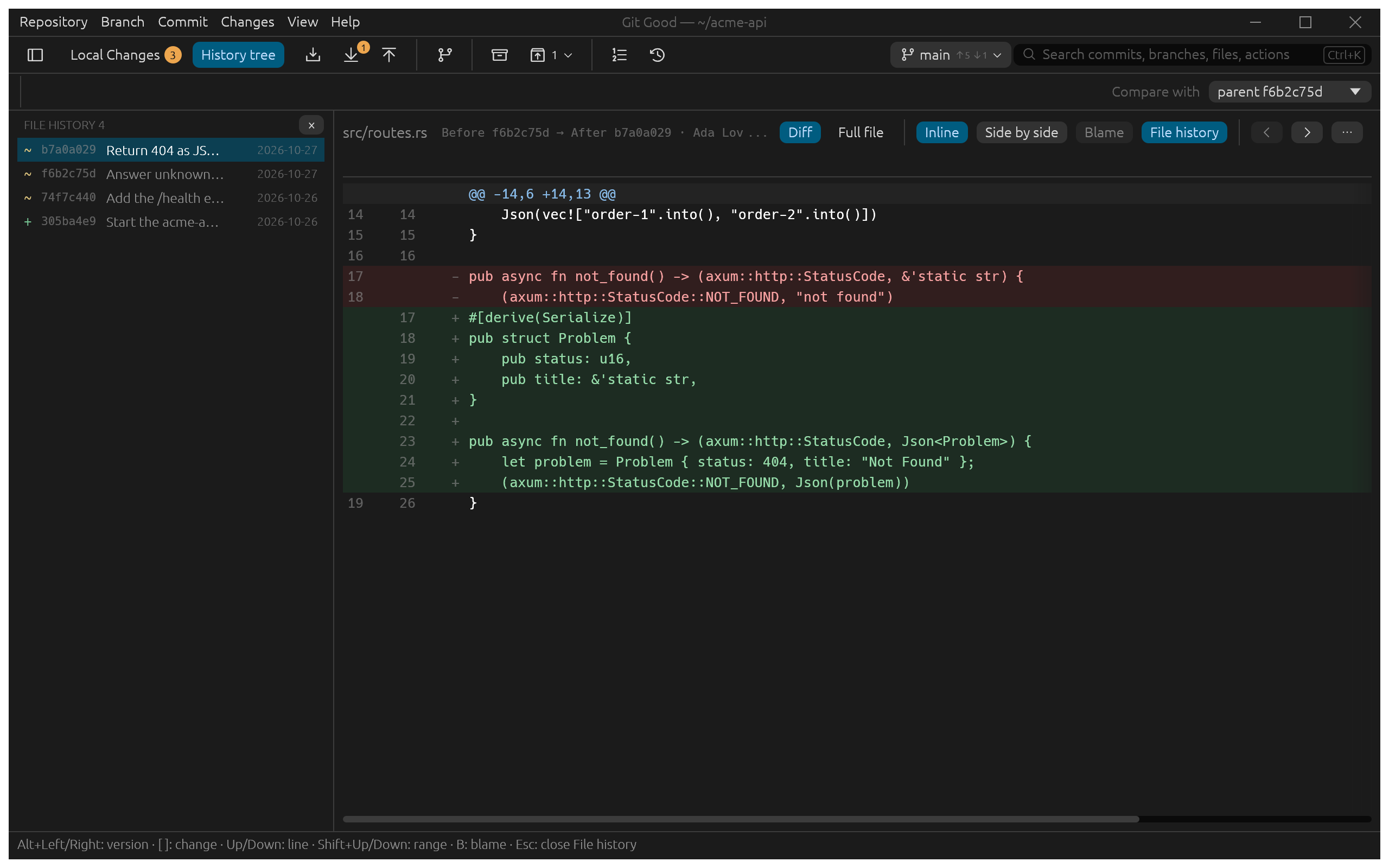
- Alt+Left and Alt+Right step between versions; Diff shows what that version changed, Full file shows the whole file at that version.
- The history follows renames, including a file renamed and rewritten in the same commit, down to 25 % similarity.
- If a merge brought the same content in from two sides, File history asks which earlier version to follow instead of guessing.
- Esc or × closes it and returns to the commit you started from.
Blame
Press B (or Blame) to show the full file with a gutter: each run of lines from one commit shows the author, short ID and age, and an age bar brightens for newer lines. After blames the selected commit, Before its parent.
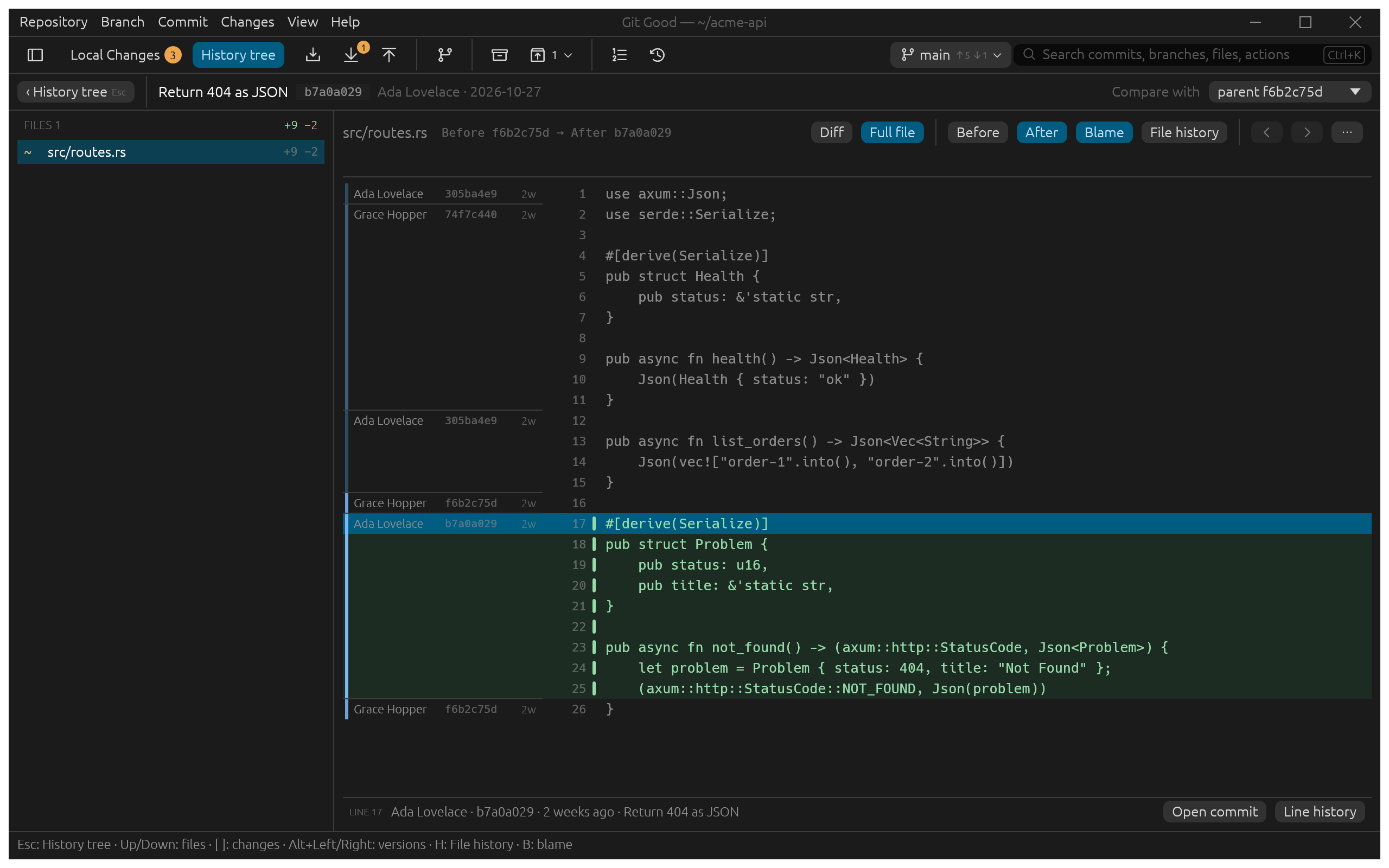
Select a line to see its commit in the bar below: Open commit jumps to it, and you can come back.
Line history
Select one line, or a range with Shift-click, and choose Line history (Git's git log -L). The list is titled, for example, LINE HISTORY 20–30 and shows only the versions that changed those lines. Where the lines first appear it says Line introduced in this version.