Review a commit
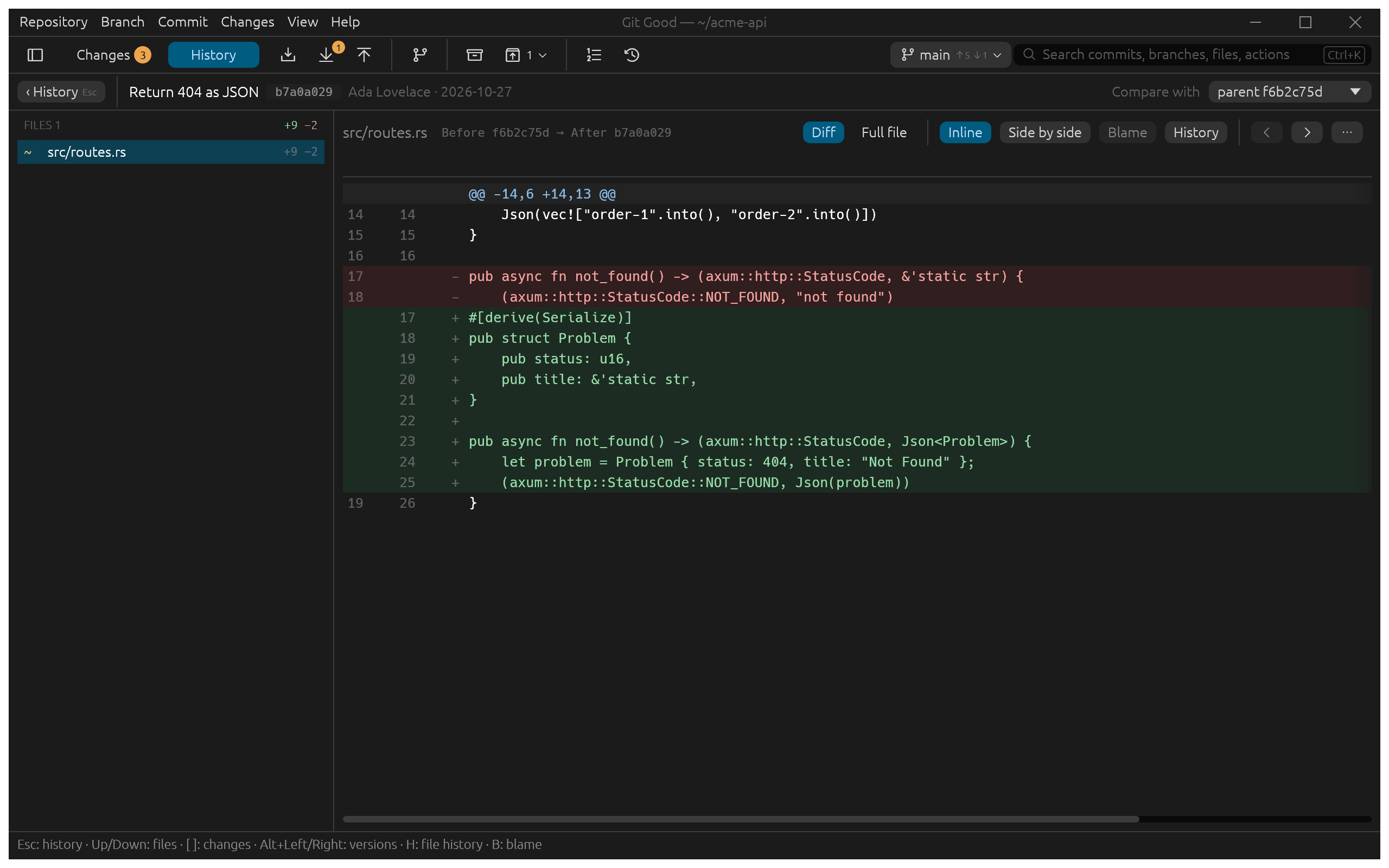
Select a commit in History and press Enter (or click Review). Here we review Return 404 as JSON, the commit tagged v0.2.0:
What you see
- Files on the left, with added and removed line counts for each. Up and Down move between files.
- The header names the commit, its author and date, and what it is compared with: Compare with defaults to the first parent and can be any other parent of a merge.
- The reader shows the file's change as a Diff or the Full file, Inline or Side by side. Changed words are highlighted inside changed lines.
- [ and ] jump between changes; Blame (B) shows who last changed each line and History (H) lists the commits that touched the file.
Typical uses
- Check a teammate's change before you merge it
- Review their branch tip, read each file side by side, then merge from the branch's actions.
- Find when a line changed
- Open Blame on the file, then follow the line to the commit that introduced it.
- Copy an old version
- Switch to Full file to read the whole file as it was in that commit.
Press Esc to go back to History, with the same commit still selected.