Search, keys and preferences
One search box for everything
Press Ctrl+K and type. Search finds commits, branches, files and every menu command, with the menu it lives in and its key:
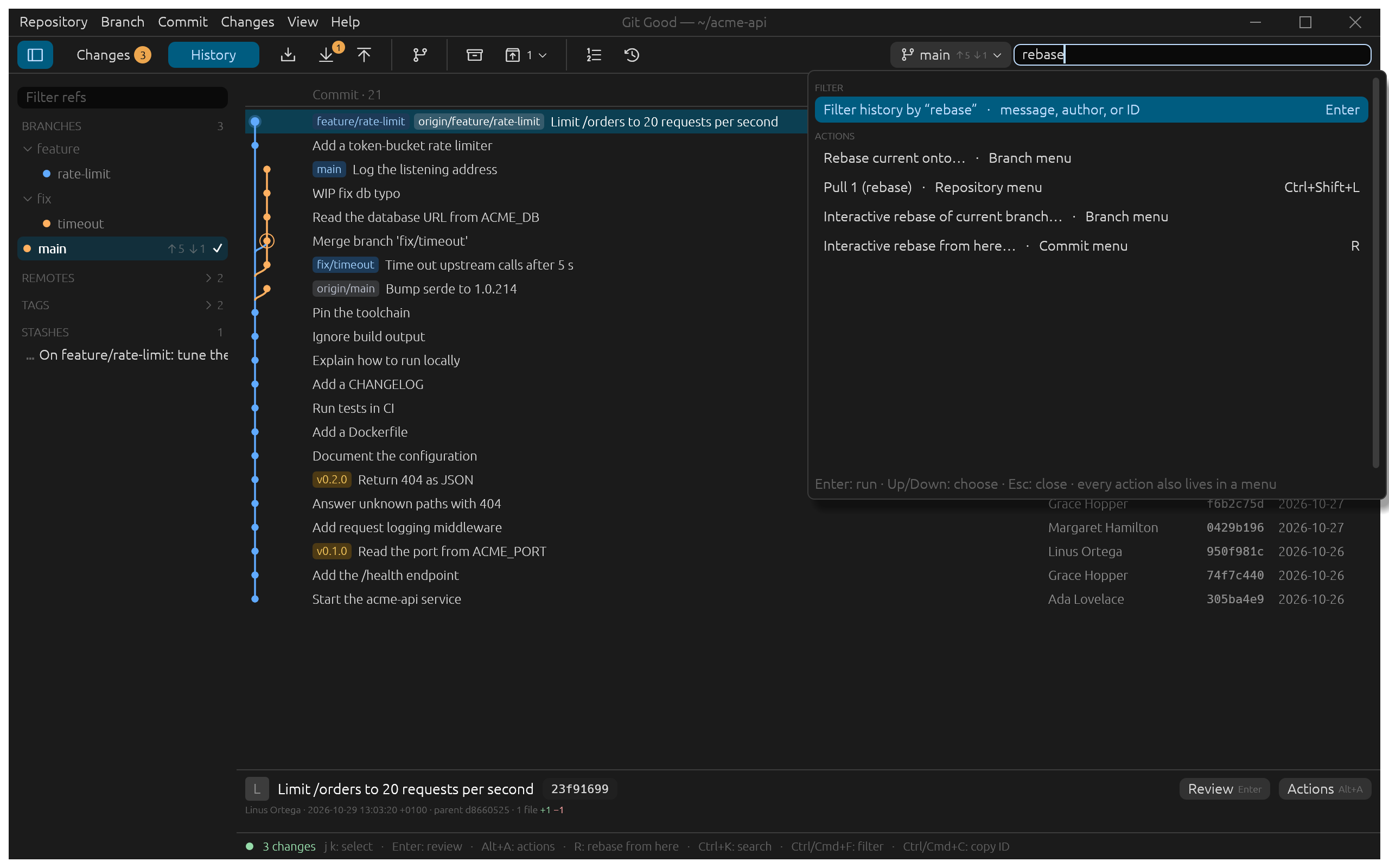
Up / Down choose, Enter runs, Esc closes.
Keyboard first
- F6 moves between search, the sidebar and the content; Shift+F6 goes back.
- F10 opens the menu bar; Shift+F10 or the context menu key opens the selected item's actions.
- Single letters (J, K, R, S…) act on the focused list and never fire while you type in a text box.
- Help › Keyboard shortcuts (?) lists them all.
Change the keys
Repository › Preferences… (Ctrl+,) › Keyboard:
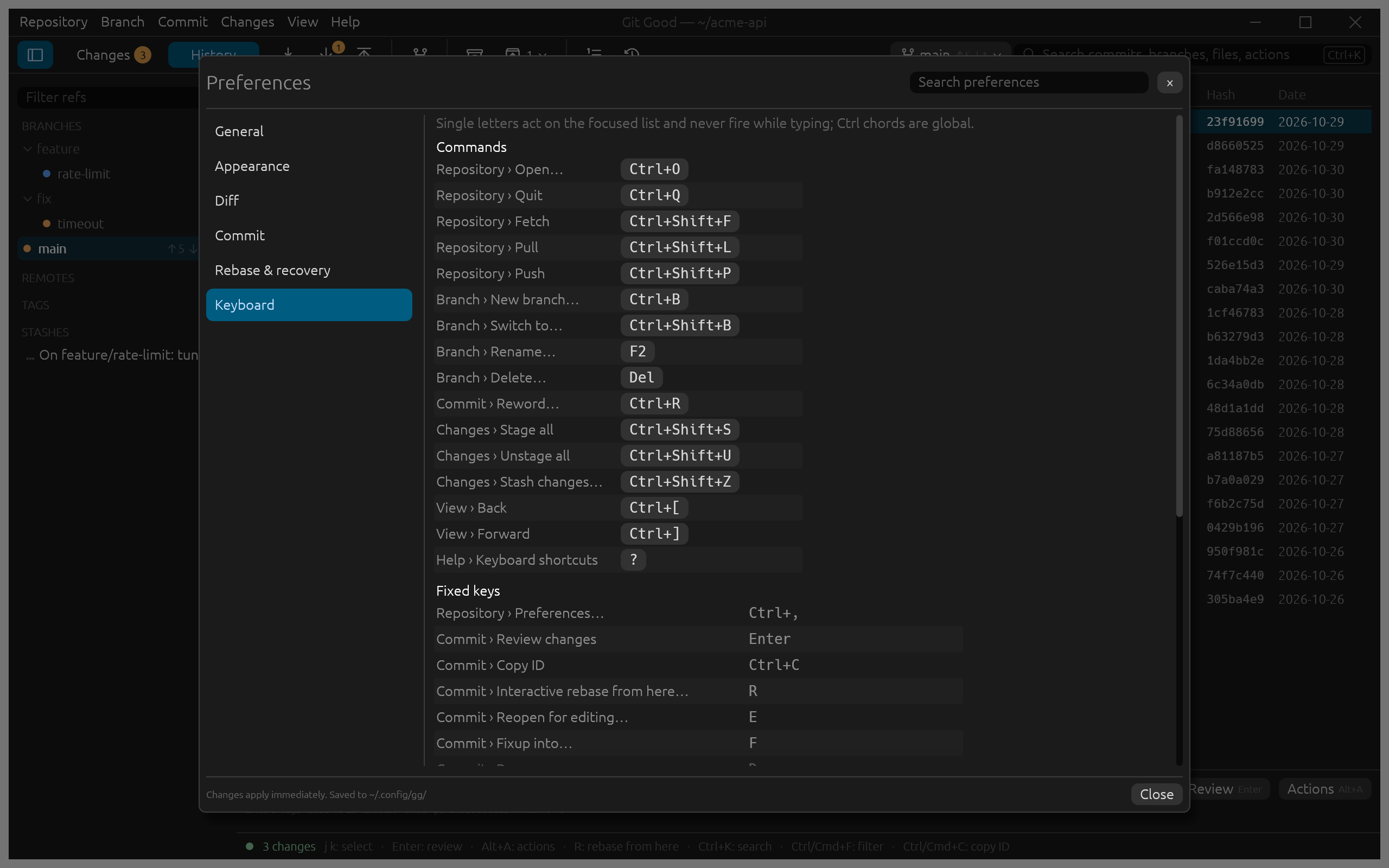
Click a command's key and press the new one. A key that is already taken is refused, naming the command that has it, and Esc cancels. The menus show your keys at once. Fixed keys at the bottom are the ones that cannot change, such as Enter to review.
Other preferences
| Section | Settings |
|---|---|
| General | Clone folders and the preferred one, prune deleted remote branches on fetch, the editor to open files in, dialog defaults (stash untracked files, merge with --no-ff, switch to a new branch) |
| Appearance | Theme (system, dark, light), compact or comfortable rows, zoom, code font size, title bar style, avatars in History |
| Diff | Default layout (inline or side by side), context lines, whitespace, wrapping |
| Commit | Identity, subject length guide, run hooks, sign commits and tags |
| Rebase & recovery | Stash before a rebase, confirm Drop and Reset, pull strategy (rebase, merge, fast-forward only), offer force-with-lease after a rewrite, how long to keep private backups |
Changes apply immediately and are saved to Git Good's settings file in your configuration folder (~/.config/gg/ on Linux).