Work on two branches at once
A worktree is a second checkout of the same repository in another folder. Your work in progress stays where it is while you fix something on another branch.
Choose Repository › Worktrees…. In acme-api there is the main worktree and a linked one for hotfix/1.2.1:
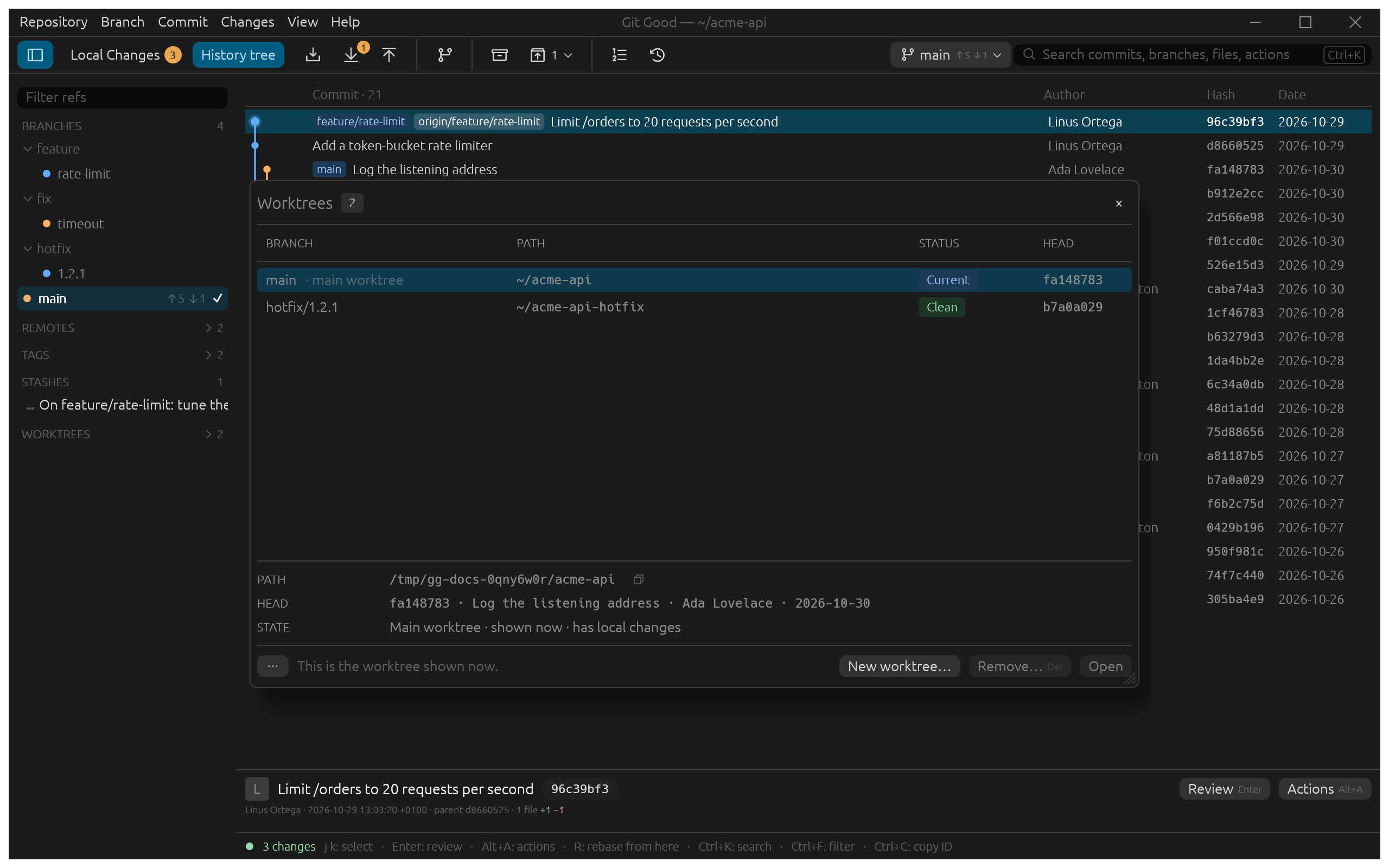
Each row shows the branch, the folder, a status (Current, Clean, Modified, Locked, Missing) and the commit checked out. The sidebar's Worktrees group lists the same. Right-click one there to open it, reveal its folder, copy its path or remove it.
Create one
New worktree… creates a new branch, or checks out an existing one, in a folder that follows the branch name until you edit it. With Open after create on, Git Good switches to it straight away.
Open, remove, lock
- Open (Enter) switches the window to that worktree, keeping each worktree's own selection and drafts.
- Remove… (Del) deletes the folder after you confirm; the branch stays.
- ⋯ › Lock… keeps Git from pruning a worktree on a removable disk; Unlock undoes it. A worktree whose folder is gone shows Missing; Prune 1 missing forgets it, and its branch stays.